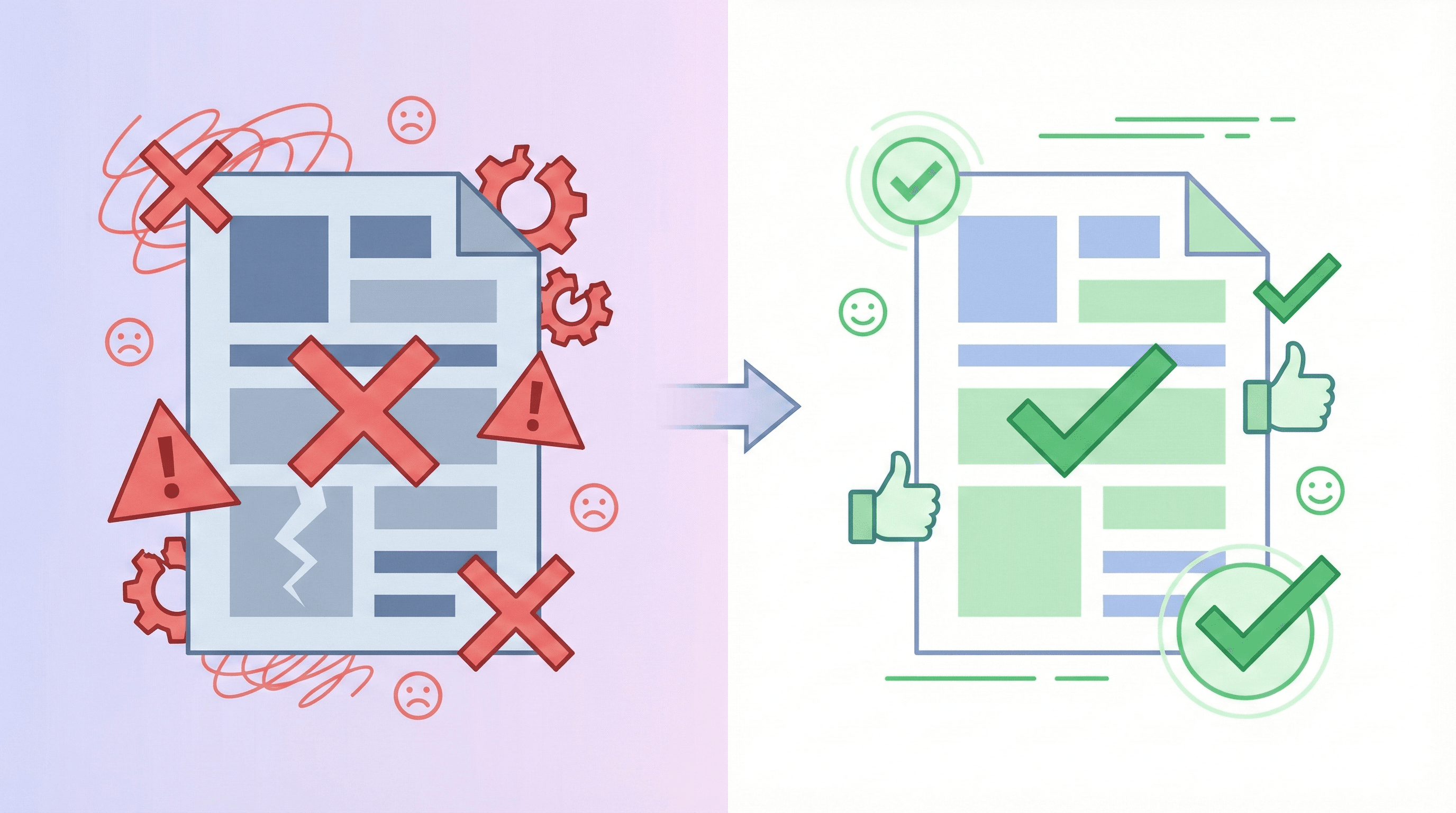
You send out application after application...and hear nothing. Most people blame the job market or "too much competition," but in 2025 the real killer is often small, invisible resume mistakes that quietly get you rejected before anyone ever talks to you.
Recruiters skim hundreds of resumes a week. According to Harvard Business Review research on hiring practices, Applicant Tracking Systems (ATS) filter up to 75% of applications automatically. A single formatting issue, vague bullet point, or missing keyword can move you from "maybe" to "no" in seconds-even if you're qualified.
This guide breaks down 10 resume mistakes that get you rejected and shows you exactly how to fix each one. You'll see before-and-after examples, simple checklists, and fast edits you can make today to start getting more interviews this month-not "someday."
Keep your resume open while you read and fix each mistake in real time-you can transform your job search in a single afternoon.
Start fixing my resumeBy the end, you'll know how to spot problems the way a recruiter or ATS does-and how tools like GoApply can automate the boring parts so you can focus on preparing for interviews instead of rewriting the same document 100 times.
Reading about resume mistakes is useful-but fixing them while you read is what actually gets you interviews. Keep your resume open and apply each tip in real time.
Start fixing my resume nowWhy Resume Mistakes Matter More Than You Think
A resume mistake is any detail-content, formatting, or wording-that makes it harder for a human or an ATS to see you're a clear match. It's not just spelling errors. It's vague bullets, missing keywords, confusing layouts, and outdated information that quietly lower your chances.
Your resume is often the only information a company has about you when deciding who to interview. If that one document doesn't do its job in 7-10 seconds, you're out-no matter how strong your background really is.
75%
of resumes are rejected by ATS before a human ever sees them (various ATS vendors, 2023-2024).
7 seconds
average time recruiters spend on a first resume scan (Ladders eye-tracking study).
3x
average increase in interview invitations GoApply users see after fixing core resume issues and tailoring to each role.
In 2025, many companies also use AI to pre-screen applications. According to industry research, automated tools increasingly score resumes on keyword match, clarity, and structure before a recruiter even logs in. If you want to understand that shift in depth, check out our guide to AI job applications.
The bottom line: resume mistakes are expensive. They don't just cost you one job. They cost you time, because every application you send with the same problems keeps disappearing into the void. Fixing these issues once gives you leverage in every future application.
How to Review Your Resume Like a Recruiter
Before you rewrite anything, learn to audit your resume like a recruiter. As LinkedIn's recruiting insights explain, when hiring managers skim, they're not reading every word-they're searching for quick proof that you can solve their problems for this specific role.
Do the 7-second glance test
Match against a specific job description
Check for measurable impact
Scan for dealbreakers
- Print your resume or export it to plain text-this makes formatting problems obvious.
- Highlight every number on the page. If you don't see many, you're describing duties, not achievements.
- Circle repeated phrases like "responsible for" or "worked on." These weaken your impact.
- Ask a friend in your field to skim it for 15 seconds and tell you what stands out-if it's not what you want to stand out, adjust.
After this quick audit, you'll likely see patterns: weak verbs, missing numbers, or sections that don't support your target job. For a deeper checklist on structure and formatting, read ATS-friendly resume guide to understand how both humans and software read your document.
How to Make Your Resume ATS-Friendly (Without Ugly Formatting)
Most resume mistakes that kill your chances with ATS have nothing to do with your experience-they're about formatting. ATS software reads resumes like a very basic browser. Fancy templates that look great on Instagram can be unreadable to machines and quietly get you filtered out.
- Use standard fonts (Calibri, Arial, Helvetica, or Times New Roman, 10-12 pt).
- Avoid text boxes, columns, graphics, or icons for critical info like job titles or contact details.
- Stick to simple headings: "Experience," "Education," "Skills"-ATS tools look for these.
- Save as PDF only if the job description or system allows it; otherwise use .docx.
- Avoid headers/footers for key content; some ATS tools ignore them.
- Use bullet points (-) instead of custom symbols that may not parse correctly.
| Good practice | Risky design choice | Why it matters |
|---|---|---|
| Single-column layout | Two-column magazine-style template | Many ATS systems read left-to-right; they can scramble columns or ignore content. |
| Text bullets | Icons or graphics for bullets | Non-standard symbols can disappear or break parsing. |
| Standard headings (Experience, Skills) | Creative headings (What I've Done, Superpowers) | ATS may not map creative headings to the right fields, lowering your score. |
| Plain contact info text | Contact info inside a header, footer, or image | Some systems skip headers/footers and can't read images, so you become unreachable. |
Warning: Pretty templates can be silent job killers
You can still stand out visually with strong headings, white space, and clear hierarchy. Recruiters care far more about readability and relevance than decoration. If you want an in-depth walkthrough of ATS optimization, combine this advice with the dedicated ATS-friendly resume guide for maximum impact.
How to Tailor Your Resume in 10 Minutes Per Job
One of the most damaging resume mistakes is sending the same generic document to every job. The good news: you don't need an hour per application. With a simple system, you can tailor your resume in about 10 minutes per role.
- Copy the job description into a separate document and highlight key responsibilities, tools, and outcomes.
- Identify 5-10 priority keywords (tools, skills, outcomes like "reduced churn," "improved retention," "Python").
- Update your headline and summary to mirror the role's language and requirements.
- Rewrite 3-6 bullets in your most recent roles to showcase matching achievements.
- Adjust your skills section so your top skills align with what's emphasized in the posting.
If your opening still reads like a vague career objective, fix it using the advice in resume summary vs objective guide. A sharp, targeted summary is one of the fastest ways to show, "Yes, I'm exactly who you're looking for."
Next, make sure your bullets show results. If you struggle to add numbers, walk through the frameworks in guide on how to quantify achievements on your resume-it includes 50+ plug-and-play examples you can adapt for your own roles.
Finally, tune your skills list. Make sure your top skills reflect what the job description actually asks for, not just a random list of everything you've ever done. The resume skills section guide walks you through which hard and soft skills to highlight in 2025.
If you're applying to dozens of roles a week, this can still feel heavy. This is where automation helps: GoApply's AI Resume Tailoring feature automatically aligns your resume to each job description, keeps your voice intact, and optimizes for ATS keywords. GoApply users who enable tailoring report up to 3x more interviews with the same application volume.
Resume Best Practices for 2025
Before we dive into the specific resume mistakes to avoid, it helps to anchor on what a strong resume in 2025 actually looks like. Think of this as your north star while you fix issues section by section.
- Clear headline at the top that matches your target role (e.g., "Senior Data Analyst | SQL, Python, BI").
- Concise, targeted summary focused on value and results, not generic traits.
- Recent experience prioritized-more detail for the last 5-7 years, less for older roles.
- Achievement-focused bullets with metrics, not task lists.
- Skills section that reflects current tools and frameworks, not everything you've ever touched.
- Simple, ATS-friendly layout with one column, clear headings, and plenty of white space.
For most professionals with under 10-12 years of experience, a one-page resume is still ideal. If you're not sure whether to use one or two pages, the one-page resume guide breaks down when a longer resume helps and when it hurts.
Quick win: rename your resume file
With these best practices in mind, let's look at the 10 specific resume mistakes that are most likely to get you rejected-and the exact fixes to turn each one into a strength.
Once your resume is free of common mistakes, tailoring it to every job becomes the fastest way to stand out. GoApply's AI Resume Tailoring can do this automatically for dozens of roles a day.
Try GoApply's AI tailoring10 Resume Mistakes That Get You Rejected (And How to Fix Each One)
Below are the most common resume mistakes we see reviewing thousands of resumes at GoApply. You don't need to be perfect-but if you can clean up even half of these, you'll already be ahead of most applicants.
Mistake #1: Typos and sloppy formatting Typos and inconsistent formatting scream "I don't care about details." According to SHRM research on hiring deal-breakers, over 75% of recruiters say they reject resumes with multiple spelling errors. Sloppy spacing, misaligned bullets, and different font sizes create the same effect-even if your content is strong.
- Run spell check but don't rely on it-read out loud, line by line.
- Print your resume or view it at 80% zoom to spot alignment issues.
- Standardize dates (e.g., "Jan 2022 - Present" everywhere).
- Use one bullet style and one font across the document.
Mistake #2: Generic, non-targeted resume A resume that could apply to 20 different jobs usually convinces nobody. Recruiters want to see evidence that you understand their role. If your headline just says "Experienced Professional" and your bullets are vague, you blend into the pile.
"Hardworking professional seeking a challenging position where I can use my skills and grow in my career."
"Product manager with 6+ years leading B2B SaaS products from discovery to launch, improving activation rates by 18-32% and ARR by $1.2M+ through data-informed experiments."
Aim for a clear target role in your headline and summary ("Senior Product Manager - B2B SaaS" beats "Hardworking Professional" every time). Customize your top bullets to reflect the main responsibilities from the job description you're applying to.
Mistake #3: Weak or missing summary The first 3-4 lines at the top of your resume are prime real estate. A long, fluffy paragraph or a missing summary forces recruiters to hunt for context. They should instantly know who you are, what you bring, and what kinds of roles you fit.
- Keep it to 3-5 short lines or 3 bullets.
- Mention your title/level, years of experience, and core focus areas.
- Highlight 1-2 standout results or credentials.
- Mirror key phrases from the target job description.
If you're unsure what to write, follow the frameworks in the resume summary vs objective guide. It shows exactly how to replace weak objectives with compelling, targeted summaries for 2025.
Mistake #4: Listing duties instead of achievements Recruiters already know what a "Software Engineer" or "Marketing Manager" does. Listing responsibilities ("responsible for", "worked on") doesn't prove you were good at the job. This is one of the most common resume mistakes across all experience levels.
"Responsible for managing website content and supporting marketing campaigns."
"Increased qualified inbound leads by 42% in 6 months by launching a content calendar, optimizing 15+ landing pages, and A/B testing CTAs."
Turn each bullet into a mini story: action + metrics + business impact. If you're stuck, the guide on how to quantify achievements on your resume gives formulas like "Improved X by Y% by doing Z" you can plug your own data into.
Mistake #5: No numbers or measurable impact Even strong professionals sometimes describe themselves only with words: "excellent communicator," "team player," "results driven." Without numbers, those phrases are just opinions. Metrics make your claims credible and memorable.
- Revenue or cost impact (e.g., increased MRR by 18%, reduced costs by $120K/year).
- Time savings (e.g., cut processing time from 3 days to 4 hours).
- Quality improvements (e.g., reduced defects by 27%, improved CSAT from 4.1 to 4.7).
- Volume (e.g., handled 60+ tickets per day while maintaining 95% satisfaction).
Want help turning duties into powerful, metric-filled bullets? GoApply's AI can suggest quantified achievements based on your real experience.
Try AI tailoringMistake #6: ATS-unfriendly design and structure We covered ATS basics earlier, but it's worth stressing: a beautiful resume that an ATS can't read is effectively worse than a plain one. Common errors include using tables for entire sections, putting contact info in headers, or saving only as an image-heavy PDF.
| Mistake | Why it hurts | Quick fix |
|---|---|---|
| Job titles inside text boxes or images | ATS may not read them, so your experience doesn't get credit. | Keep titles and companies in plain text in the main body. |
| Overloaded with keywords in a separate block | Keyword stuffing can look fake to both ATS and humans. | Blend relevant keywords naturally into bullets and skills. |
| Creative section labels (My Journey, Battle Scars) | ATS may not know where to put this information. | Use standard labels like Experience, Education, Skills, Projects. |
If you want a modern layout, start from an ATS-safe template and add small design touches, instead of starting from a designer's portfolio template and trying to make it machine-readable after the fact.
Mistake #7: Irrelevant or outdated content Everything on your resume competes for attention. Listing unrelated part-time jobs from 10 years ago or outdated technologies just buries the good stuff. Recruiters should never have to dig to find the evidence that you fit this role, today.
- Remove roles older than 10-15 years unless they're directly relevant.
- Drop irrelevant coursework once you have a few years of experience.
- Archive outdated tools or list them under "Additional" instead of core skills.
- Reframe non-traditional roles (like retail or hospitality) around transferable skills.
If you're pivoting industries, you'll need to lean hard on transferable skills and relevant projects. The career change resume strategies walk through how to reposition your experience for a new field without looking unfocused or underqualified.
Mistake #8: Unexplained employment gaps Gaps themselves aren't automatic rejection factors anymore-especially post-2020. The real mistake is leaving them unexplained. When recruiters see big blank periods, they start guessing, and their assumptions are rarely flattering if you don't give them context.
- Use a brief line like: "Career break for caregiving and upskilling (2021-2023)."
- Highlight any freelancing, volunteering, or coursework from that period.
- Emphasize skills you maintained or gained, not the gap itself.
- Be honest-fabricated roles are easier to spot than ever.
For deeper strategies, see the article on how to explain employment gaps and our career change resume strategies. Both show how to frame gaps without apologizing for them or hiding them.
Mistake #9: Vague skills and buzzword soup A skills section that just lists "Leadership, Communication, Teamwork, Problem Solving" tells recruiters almost nothing. On the flip side, a giant list of every tool you've ever touched makes it unclear what you're actually good at in 2025.
- Separate technical skills from soft skills.
- Group tools by category (Languages, Frameworks, Analytics, Design, etc.).
- Only list tools you'd be comfortable discussing in an interview today.
- Align your top 8-12 skills with the specific role you're applying for.
The resume skills section guide includes examples by industry so you can see what a focused, credible skills section looks like for your field instead of guessing.
Mistake #10: Unprofessional contact details and file names It sounds basic, but you'd be surprised how often we still see emails like partygirl1998@gmail.com on otherwise strong resumes. Missing phone numbers, broken portfolio links, and vague file names also create small but real friction for recruiters trying to reach you.
- Use a professional email (ideally some version of firstname.lastname).
- Include one primary phone number with country code if you apply internationally.
- Double-check that portfolio and LinkedIn URLs actually work.
- Name your file something like "Firstname-Lastname-Role-Resume.pdf."
Remember: you don't need perfection to win interviews
Tools and Resources to Fix Resume Mistakes Fast
You can fix every problem on this list manually, but the right tools can cut hours from the process and help you avoid new resume mistakes as you apply to more roles. Here's a practical mix of options that work well together.
- A clean, ATS-safe template in Word or Google Docs for basic formatting.
- Grammarly or similar tools for catching grammar and spelling issues.
- Peer review from a colleague in your field for relevance and clarity.
- Dedicated resume tools and AI to handle tailoring, metrics, and formatting checks.
If you're comparing software, the technical resume examples and templates breaks down the strengths and weaknesses of popular tools so you don't waste time testing everything yourself.
GoApply goes beyond a simple builder. Its ATS Optimization Suite flags missing keywords, formatting issues, and structure problems that cause rejections. The AI Resume Tailoring feature then rewrites bullets and summaries to match each job description-while preserving your voice and avoiding keyword stuffing.
Once your resume is solid, GoApply's AI Auto-Apply Engine can submit 50-100+ tailored applications per day across major job boards and company sites. If you want to understand how to safely scale up your applications with automation, read the AI job application guide.
Finally, track how your improved resume performs. The guide to applying to 100+ jobs per week shows different tracking methods, and GoApply's Application Tracker Dashboard gives you a centralized view of every application, response rate, and interview so you can keep iterating from real data instead of guessing.
FAQ: Fixing Common Resume Mistakes
You might still have questions about specific resume mistakes or edge cases. The answers below cover the issues job seekers ask us about most often-from whether tiny typos matter to how much AI you should use when writing your resume in 2025.
Final Thoughts: Fix These Resume Mistakes Once, Benefit in Every Application
Most people think they need to reinvent their entire career story to get interviews. In reality, cleaning up a handful of resume mistakes-typos, generic summaries, weak bullets, ATS issues, and missing metrics-often unlocks dramatically better results within a few weeks.
Your resume doesn't need to be perfect. It needs to be clear, relevant, and easy to say yes to. Fix the 10 mistakes in this guide, run a quick check with modern tools, and you'll already be ahead of most applicants competing for the same roles in 2025.
If you'd rather not do all of this alone, GoApply can help. Its AI optimizes your resume for ATS, tailors it to each job automatically, and even handles bulk applications while you focus on interview prep. With a free tier and transparent pricing, it's often cheaper than a single coaching session-and can help you land a role 2-3x faster.
Sources
- 1 ATS rejection rates based on aggregated data from major ATS vendors including Workday, Greenhouse, and Lever (2023-2024 hiring reports).
- 2 Ladders, Inc. "Eye-Tracking Study: How Recruiters View Resumes" (2018, updated methodology 2023).
- 3 GoApply internal data: Average improvement in interview callback rates among users who enabled AI resume tailoring (n=12,000+ applications, Q3-Q4 2024).
- 4 SHRM "Talent Acquisition Benchmarking Report" (2024) on recruiter screening behaviors.
Frequently Asked Questions
What are the most common resume mistakes in 2025?
Do small typos on a resume really matter?
How can I check my resume for mistakes before applying?
What resume mistakes will get me rejected by ATS?
Is it okay to send the same resume to every job?
How long should my resume be to avoid length-related mistakes?
What resume mistakes do entry-level candidates with no experience make?
How should I handle employment gaps on my resume?
What resume mistakes should career changers avoid?
Can AI tools help me avoid resume mistakes?
You've seen the 10 resume mistakes that quietly kill applications-and how to fix them. Turn this knowledge into offers by pairing a strong resume with automated, high-quality applications through GoApply.
Automate my job search with GoApply